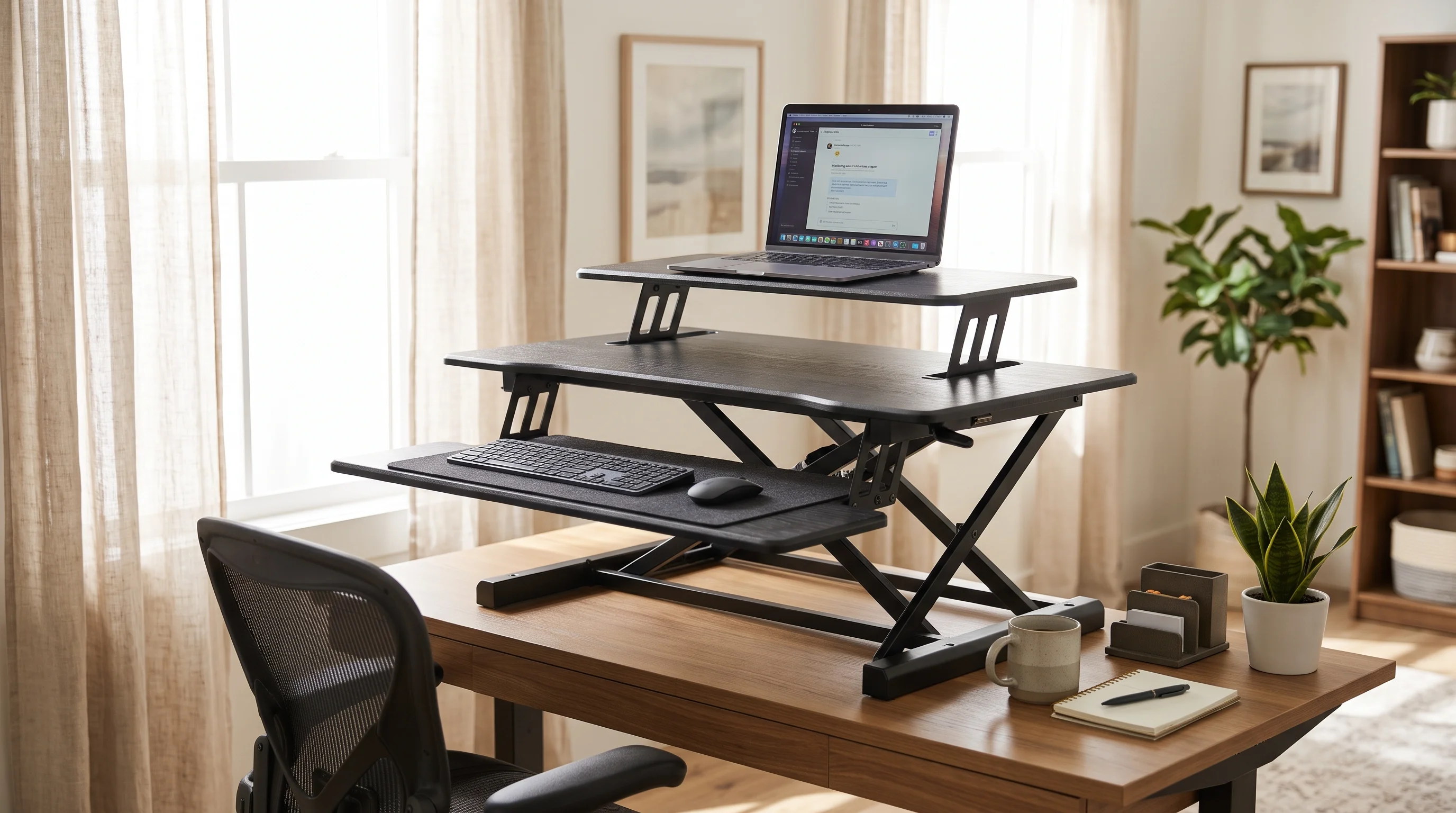
Quick answer: The VIVO DESK-V000K 32" (~$130) is the best option for most laptop users, as it has a large surface area of 31.5" x 15.7", an adjustable keyboard tray and a height of around 20". If you have a small desk then the FlexiSpot 28" option will be a better choice due to it having a smaller footprint and the keyboard tray is removable. If you are on a tight budget then the VIVO Ultra-Slim single top option (~$100) will get the job done. All options should be paired with an external keyboard and mouse.
Why Laptops Need a Different Riser Desk
Laptops are low weight, so weight is rarely an issue. The issue with laptops is that the screen and keyboard are all one unit. When raising the height of the laptop to a comfortable typing height the laptop screen will be too low. This results in looking down and slouching. If you raise the screen height to eye level then the keyboard is too high. This causes tension in your shoulders.
Using a riser desk will solve this issue. The best laptop riser desks have two levels. One high level for the laptop screen and one lower keyboard tray. The laptop (or external monitor) will be raised to a high level whilst your hands remain low. Usually a single flat surface would be the wrong choice for a laptop (although it is fine for a monitor). You would need to use accessories.
Top Picks at a Glance
| Pick | Best For | Approx. Price | Surface | Notable Feature |
|---|---|---|---|---|
| VIVO DESK-V000K 32" | Best overall | ~$130 | 31.5" × 15.7" | Keyboard tray rises with the top, ~20" max lift |
| FlexiSpot 28" Riser | Small desks | Check current price | ~28" wide | Removable keyboard tray, straight up-down lift |
| VIVO Ultra-Slim Single Top (26") | Best budget | ~$100 | ~26" wide | Fully assembled, compact |
| VIVO 36" (DESK-V036KB) | Laptop plus an external monitor | Check current price | 36" wide | Holds up to 33 lbs, wide tray |
| Rocelco 32" (R ADRB) | Retractable keyboard tray | Check current price | 32" × 20.6" | Slide-out tray, dual-piston lift |
| FlexiSpot 40" Electric | Push-button adjustment | Check current price | 40" wide | Motorized lift, wide tray |
Specifications come from manufacturer listings and published roundups. Prices change often, so confirm them before buying. I haven't tested these products myself.
VIVO DESK-V000K 32": Best Overall
Price: ~$130 | Surface: 31.5" × 15.7" | Keyboard tray: 31.3" wide | Lift: up to about 20"
This is the most highly recommended option for laptop-based work. The top has a large surface area so that you can place your laptop and notebook or second device beside your keyboard. The keyboard tray comes up with the top so that you can keep your elbows at around 90 degrees. The lift assist makes it easy to change between the two options. It is easy to assemble (keyboard tray can be attached before use).
Downsides:
Manual lift mechanism. Tray is designed for keyboards and mice and not heavy accessories.
Best for:
Laptop users looking for one reliable and affordable converter.
FlexiSpot 28" Riser: Best for Small Desks
This model is great for small desks. The keyboard tray can be detached and it has a simple vertical lift rather than one that swings out. It also has a hole in the desktop for positioning your laptop. Great for those who use an external keyboard and mouse.
Downside: The weight limit for the keyboard tray is lower so only use a keyboard and mouse.
Best for: Dorms, apartments, short or slim desks.
VIVO Ultra-Slim Single Top (26"): Best Budget Pick
Price: ~$100
This is easy to assemble. It will have a low profile and will be very compact. If you only need to raise your laptop and keyboard it is a good choice.
However, as there is only one platform the keyboard and screen will both be raised. You will have to use a laptop stand or external keyboard to ensure your ergonomics are correct. (See set up below).
Best for: Budgets and short standing sessions.
VIVO 36" (DESK-V036KB): Best for Laptop Plus External Monitor
Capacity: up to 33 lbs | Surface: 36" wide
If you plan on using an external monitor alongside your laptop, you will need extra screen space. This model has a 36" screen area which means you can have your laptop next to your monitor. The synchronized keyboard tray provides extra space for a full-sized keyboard.
Downside
Takes up more space on your desk.
Best for
Hybrid workers who use a laptop with a second screen.
Rocelco 32" (R ADRB): Best Retractable Keyboard Tray
This has a large work surface area of 32" wide by 20.6" deep. It also features a pull-out keyboard tray which can be tucked away out of the way when you are using the desk. The extra depth can be useful for larger laptops.
Ideal for anyone wanting a neat desk with a large working surface.
FlexiSpot 40" Electric: Best Electric Option
An electrically powered converter is ideal if you prefer to push a button. Although it is a more expensive option that requires access to an electrical socket, it means you won’t have to put in any effort when changing your position regularly.
Best for: Those who change positions frequently or find manually operated levers a pain.
How to Set Up a Laptop on a Riser Desk
There are 2 great options for you here:
Option A
Put your laptop at the top of the stand. Use a mini laptop stand to raise your laptop so that the screen is at eye-level.
Add an external keyboard and mouse to the bottom tray. This should be at elbow height.
Your laptop screen should be around arm’s length away from you.
Option B
Place an external monitor at the top of the stand.
You can place your laptop on the bottom tray as your keyboard and trackpad. Alternatively you can close your laptop and add an external keyboard.
Ensure the top of your monitor is at eye-level or below.
Both options will mean that your screen will be at eye-level or below and your forearms will be parallel to the floor with straight wrists.
See our monitor height guide and ergonomic workstation guide for the details.
What to Check Before You Buy
Depth Make sure the height of your laptop fits within the surface. Most 13-16" laptops are between 8-11" deep. Larger laptops will be deeper. We recommend a surface that is 15.7" deep to fit most, whilst allowing room for a mouse and air flow.
Height Add the maximum height of the converter to the height of your desk. This should be less than your standing elbow height. Taller users will need a higher lift. See our standing desk guide for height charts.
Tray size and weight capacity
Ensure that the tray is the right size for your keyboard and mouse, particularly if you use a wrist rest.
Desk size
Double height converters will require around 35-37" in width and 24" depth. Check your desk dimensions.
Airflow
Ensure the laptop's vents are not blocked. Place your laptop on a stand or hard surface.
Cable length
Ensure there is enough cable length for the power and charger cables to reach full height without being tight.
Do You Need a Riser Desk, or Just a Laptop Stand?
If you're only going to be sitting then a laptop stand with an external keyboard is an affordable solution to most of the ergonomic issues. If you are unsure if you will stand regularly, a riser desk can also be used. read are riser desks worth it? before buying.
If you're always on the move, a lighter, foldable option may suit you better. See our best portable riser desks. For a full comparison of converters and full desks, see riser desk vs standing desk, and for broader picks see our best riser desks for 2026.
Frequently Asked Questions
What is the best riser desk for a laptop?
The VIVO DESK-V000K 32" is a great all-in-one option. It has a large surface area (31.5"x15.7"), a keyboard tray that moves up with the desk top and can lift around 20". The price is around $130. For smaller desks the FlexiSpot 28" is a better option.
Can I use a laptop on a riser desk?
Yes. Place laptop in top compartment (preferably on a small stand). Use external keyboard and mouse in the bottom compartment. Alternatively place external monitor on top and use laptop as keyboard.
Do I need an external keyboard with a laptop on a riser desk?
Ideally! The screen and keyboard are attached so you’re always either too high or too low. However, if you separate them, you can have the screen at eye-height and your hands at elbow-height.
What size riser desk do I need for a laptop?
A surface about 25"–32" wide and 15"–16" deep fits most laptops. Choose 36" or wider if you also use an external monitor.
Is a single-tier or dual-tier riser better for laptops?
Dual screen height is usually more comfortable. You can have the screen and keyboard at different heights. If you have a laptop stand and external keyboard single screen height will be okay.
How tall should a riser desk go for a laptop?
Ensure you have your keyboard area at elbow height. Add the maximum lift height of the converter to the height of your desk and ensure it matches your standing elbow height. Generally taller people will require 20" of lift.
Will a riser desk block my laptop's ventilation?
Not if you place the laptop on a hard, flat surface or stand with open airflow. Avoid soft materials, and don't cover the vents.
Are cheap riser desks good enough for laptops?
Yes often. These are generally light. Budget models costing between $100-$150 will work for a laptop and keyboard. However, most of these will have issues with the size of the surface, how stable they are when fully extended and the tray features.
Prices and specs are based on public information from manufacturers and retailers in 2026. They can change frequently so please check the current details before purchasing. This guide contains affiliate links. If commissions are earned we will not let this affect our recommendations. This is general information and should not be taken as medical advice.
